
Sitting at a desk for 8 or more hours a day is one of the most consistent causes of chronic back pain, neck stiffness, and posture problems we see at our Ankeny practice. If you commute into Des Moines and spend your day at a computer, your spine is absorbing stress from multiple directions – and most people don’t realize how much damage that adds up to over months and years.
Why Desk Jobs Are So Hard on Your Spine
Here’s something most people don’t expect: sitting is harder on your lower back than standing. When you’re upright, the load on your lumbar discs is distributed fairly evenly. When you sit – especially if you’re slouched or leaning forward toward a screen – that pressure increases significantly and concentrates on the front edges of your discs.
Do that for years and you’re setting yourself up for disc problems, chronic muscle tension, and nerve irritation that don’t just go away when you stand up and stretch. The damage accumulates quietly until one day your back gives out picking up a bag of groceries or getting out of a car.
I’ve been treating desk workers and commuters in the Greater Des Moines area for years, and the pattern is remarkably consistent. People push through discomfort because they think it’s normal. It’s not. Pain is your body telling you something is wrong.
The Commute Is Making It Worse
A lot of patients I see in Ankeny drive 20 to 45 minutes each way into Des Moines every day. That commute – hunched slightly forward, neck craned, one foot on the pedal – adds more sitting time in a posture that stresses the cervical and lumbar spine.
By the time you get to your desk, you’ve already been sitting for nearly an hour. By the time you drive home, you’ve added another hour at the end of a full workday. That’s 2 hours of commute sitting on top of 8 hours at a desk. If you’re doing that 5 days a week, your spine is never getting a real break.
Vibration from driving also compresses the spinal discs repeatedly, which contributes to disc degeneration over time. This is one reason commuters often develop lower back and hip problems faster than people who work from home.
What’s Actually Happening in Your Spine
Forward Head Posture
For every inch your head moves forward of your shoulders, the effective weight your neck muscles have to support increases dramatically. A head that sits 2-3 inches forward of neutral – which is extremely common in desk workers – can place the equivalent of 30-40 pounds of force on the cervical spine. That leads to neck pain, upper back tightness, headaches, and over time, changes in the natural curve of your cervical spine.
Lumbar Disc Pressure
The discs between your lumbar vertebrae act as shock absorbers. Prolonged sitting compresses them, reduces their hydration, and over time contributes to bulging or herniated discs. If you’ve ever felt that familiar aching in your low back after a long workday, that’s your discs and surrounding muscles telling you they’ve had enough.
Hip Flexor Tightening
Your hip flexors – the muscles that connect your spine to the front of your hip – shorten and tighten when you sit for long periods. When they get chronically tight, they pull your pelvis forward into an anterior tilt, which exaggerates the lumbar curve and loads the lower back unevenly. Tight hip flexors are one of the most common underlying contributors to chronic lower back pain that people overlook entirely.
Thoracic Rounding
Slouching at a desk rounds the mid-back (thoracic spine) forward over time. This affects not just posture but also breathing, shoulder mechanics, and the health of the discs and joints in that region. Many patients with chronic workplace and posture injuries have significant thoracic restriction by the time they come in, which takes consistent work to correct.

How Chiropractic Addresses Desk Worker Pain
The most important thing to understand is that chiropractic care addresses the structural causes of your pain – not just the symptoms. Taking ibuprofen every afternoon to get through the rest of your workday isn’t a solution. It’s a delay.
Chiropractic adjustments restore proper alignment to the vertebrae that have shifted out of position from sustained poor posture. When the joints are moving properly, nerve pressure decreases, muscle tension eases, and the body can actually heal. Most desk workers I treat notice a significant reduction in daily pain within the first several visits.
Beyond adjustments, we look at the whole picture. That means assessing your posture, evaluating how your pelvis is sitting, checking for hip flexor tightness, and talking through your workstation setup. Small ergonomic changes at your desk – monitor height, chair position, keyboard placement – can make a real difference when combined with regular chiropractic care.
Spinal Decompression for Desk Workers
For patients with more advanced disc involvement – bulging discs, chronic compression, or radiating pain down the legs – we may incorporate spinal decompression therapy. This non-surgical treatment gently stretches the spine to create negative pressure inside the disc, which encourages the disc to retract and heal. It’s particularly effective for desk workers who have spent years compressing their lumbar discs and are now dealing with the consequences.
Custom Orthotics and Foot Support
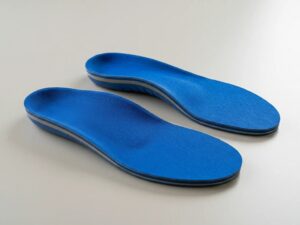
Here’s something most people don’t connect: your feet are the foundation of your entire posture. If you’re standing or walking on unsupported arches, it creates a chain reaction of misalignment that travels up through your ankles, knees, hips, and into your lower back. Custom orthotics – which we design using a digital foot scan – can correct faulty foot mechanics and take stress off your lower back that no amount of stretching will fix on its own.
Simple Things You Can Do at Work Today
Chiropractic care works best when you’re also making changes to the environment that’s causing the problem. Here are practical adjustments worth making right now.
The 30-Minute Rule
Stand up and move for at least 2 minutes every 30 minutes of sitting. Set a timer if you need to. Even a short walk to refill your water or do a quick shoulder roll breaks the postural cycle before it compounds.
Monitor Height
Your monitor should be at eye level so your head is neutral, not craning forward or down. If you’re working on a laptop all day without an external monitor, your neck is paying the price. A simple monitor stand or external display makes a significant difference.
Chair Setup
Your feet should be flat on the floor, knees at roughly 90 degrees, and your lower back supported by the chair’s lumbar support. If your chair doesn’t have lumbar support, a rolled towel placed behind your lower back works surprisingly well as a temporary fix.
Screen Distance
Your monitor should be roughly arm’s length away. Sitting too close causes you to lean forward and squint, which compounds forward head posture throughout the day.
When the Pain Is Already There
If you’re already dealing with chronic neck pain, lower back pain, or that persistent ache that follows you from the office to the car to the couch, that’s the signal to stop waiting it out. Lower back pain that’s been present for months rarely resolves on its own without addressing its structural causes.
At Kimberlin Chiropractic Health Systems, we don’t run you through a cookie-cutter treatment plan. I look at what’s actually driving your specific pattern of pain and build a plan around that. Some patients need a handful of visits to get back on track. Others with longer-standing issues need more work. Either way, I’ll be upfront about what to expect from the start.
If you’re an Ankeny or Des Moines area desk worker who’s tired of ending every workday in pain, give us a call at (515) 895-4927 or request an appointment online. New patients can get started with our $50 new patient special, which includes a full consultation, exam, and report of findings.